
阅读(2296)
赞(4)
百度智能小程序 调试
2020-08-13 15:28:53 更新
swan.setEnableDebug
基础库 1.12 开始支持,在工具和真机中的实现有区别,详见 API 实现差异。
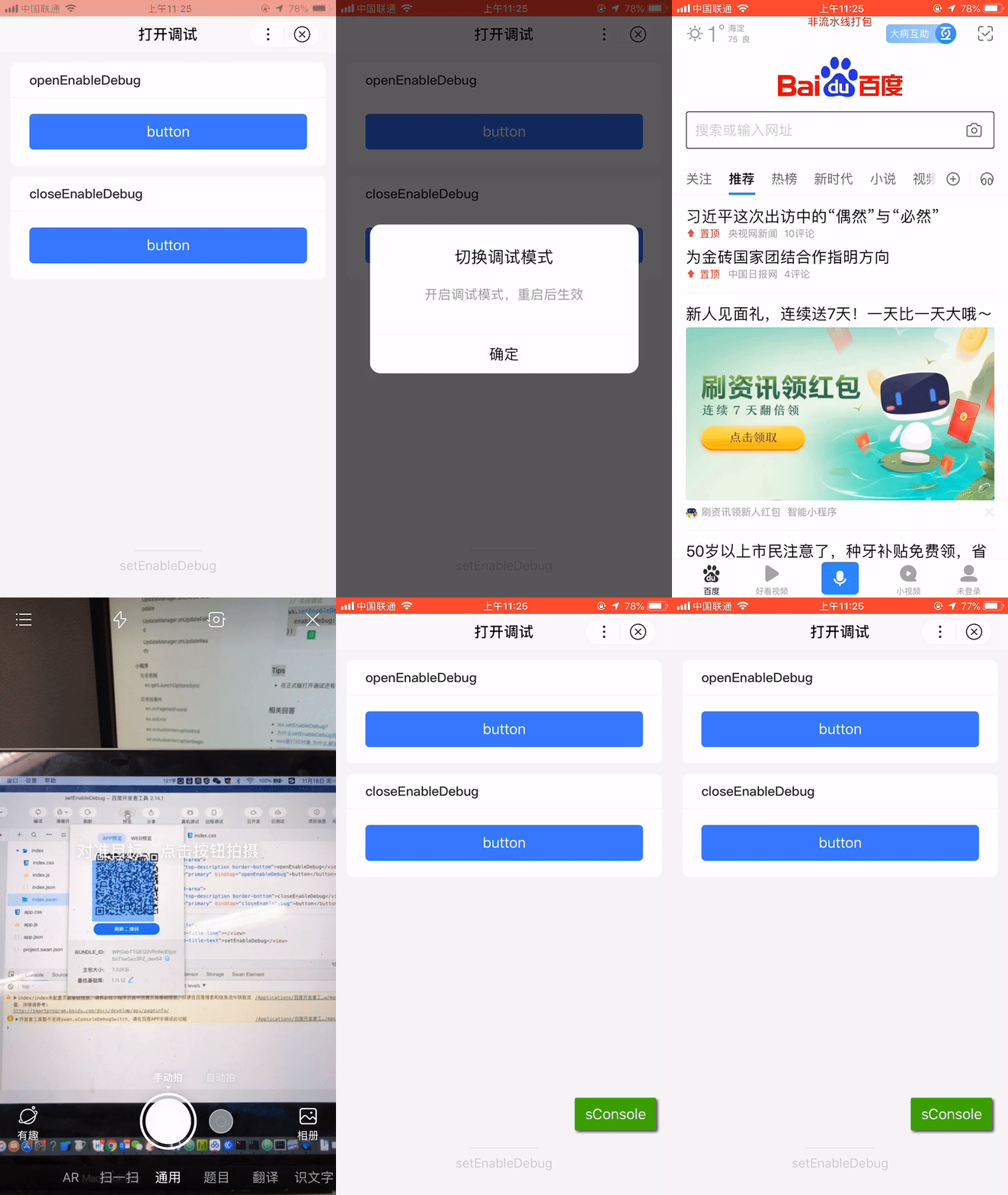
解释:设置是否打开调试开关,此开关对正式版也能生效。
Web 态说明:Web 态小程序暂不支持设置调试模式。
方法参数
Object object
object参数说明
| 属性名 | 类型 | 必填 | 默认值 | 说明 | Web 态说明 | ||
|---|---|---|---|---|---|---|---|
|
enableDebug |
Boolean |
是 |
是否打开调试 |
||||
|
success |
function |
否 |
接口调用成功的回调函数,仅支持 Android。 |
暂不支持 |
|||
|
fail |
function |
否 |
接口调用失败的回调函数,仅支持 Android。 |
支持 iOS、Android |
|||
|
complete |
function |
否 |
接口调用结束的回调函数(调用成功、失败都会执行),仅支持 Android。 |
支持 iOS、Android |
|||
示例

图片示例
代码示例
<view class="wrap">
    <view class="card-area">
        <view class="top-description border-bottom">openEnableDebug</view>
        <button type="primary" bindtap="openEnableDebug">button</button>
    </view>
    <view class="card-area">
        <view class="top-description border-bottom">closeEnableDebug</view>
        <button type="primary" bindtap="closeEnableDebug">button</button>
    </view>
</view>
Page({
openEnableDebug() {
swan.setEnableDebug({
enableDebug: true
});
},
closeEnableDebug() {
swan.setEnableDebug({
enableDebug: false
});
}
});Bug & Tip
- 可以先在开发版或体验版打开调试模式,再切回到正式版就能看到调试器;
- 请确认已登录百度帐号,当前登录用户属于该小程序开发者时,才能打开调试。